The 6 PM WiFi Meltdown: Why Your Network Falls Apart Right When You Need It Most
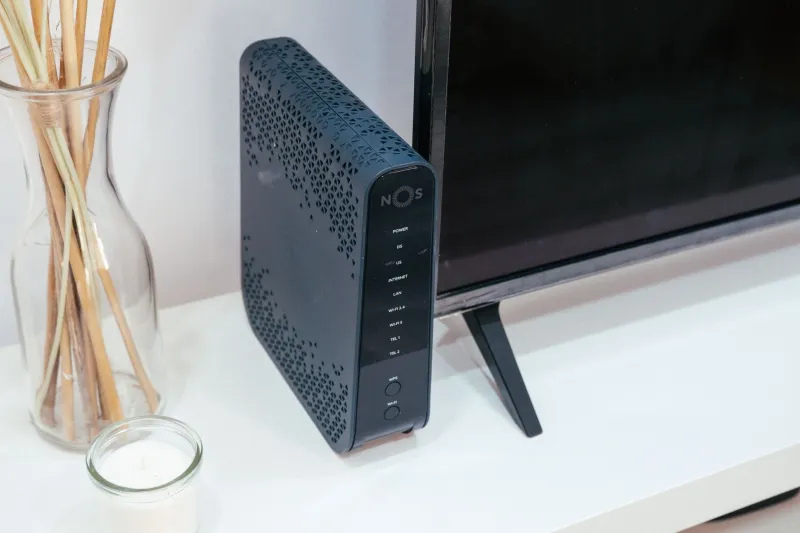
You've been working from home all day with zero issues. Your Zoom calls were crisp, your smart thermostat checked in without a hiccup, and Netflix loaded instantly during your lunch break. Then 6 PM hits — the kids get home, your partner fires up a game, someone starts a video call from the kitchen table — and suddenly your entire network feels like it's running through wet cement.
This isn't bad luck. It's physics, math, and a little bit of router psychology all colliding at dinnertime.
What's Actually Happening at 6 PM
Your home network is essentially a shared highway. During the day, maybe two or three devices are actively using it at any given moment. But between roughly 5 PM and 9 PM, that traffic count can explode — and we're not just talking about the obvious stuff like streaming and gaming.
Think about everything that wakes up when your household comes alive:
- Streaming devices on two or three TVs, each pulling anywhere from 5 to 25 Mbps depending on resolution
- Gaming consoles doing background updates or actively playing online (which is surprisingly bandwidth-hungry)
- Smart speakers fielding requests constantly
- Security cameras ramping up motion detection as people move around the house
- Smart appliances — your connected dishwasher, oven, or washing machine — checking in with their apps
- Phones and tablets that switched from LTE to your home WiFi the moment they walked through the door
All of that hits your router simultaneously, and most standard routers simply weren't designed to juggle that many active connections gracefully.
Your Router Has a Bottleneck You Probably Don't Know About
Here's the part that surprises a lot of people: your internet speed isn't always the problem. Even if you're paying for a 300 Mbps or 500 Mbps plan, your router has its own internal processing limits called NAT (Network Address Translation) capacity and connection table limits.
Every device on your network is constantly opening and closing connections — sometimes dozens per minute. A single streaming session might look like one connection, but it's actually a flood of small packets being processed continuously. A budget or mid-range router can start choking on this load even when your actual internet pipe has plenty of room left.
On top of that, most older routers default to treating every device equally. That sounds fair, but it means your 4K stream on the living room TV is fighting for the same priority as your kid's tablet running a background app update in their bedroom. Spoiler: that's not a fair fight worth having.
The Neighbor Effect Nobody Talks About
Here's a wrinkle specific to the 2.4 GHz band that makes evening congestion worse in suburbs and apartment buildings: your neighbors are all doing the exact same thing at the same time.
The 2.4 GHz frequency band has a limited number of non-overlapping channels — really just three usable ones in the US (1, 6, and 11). If you and three neighbors are all broadcasting on overlapping channels, you're essentially shouting over each other. This is called co-channel interference, and it spikes hard during peak evening hours when everyone's home network lights up at once.
If you haven't already moved your primary devices to the 5 GHz or 6 GHz bands, evening congestion is a very good reason to start.
Practical Fixes That Don't Require Buying a New Router
Before you go shopping, try these steps — they've saved a lot of households from unnecessary hardware upgrades.
Enable and Configure QoS (Quality of Service)
Most routers made in the last five years have a QoS setting buried somewhere in the admin panel. QoS lets you tell your router which devices or types of traffic get priority when things get crowded. Log into your router's settings (usually at 192.168.1.1 or 192.168.0.1), find QoS, and bump your streaming devices and work laptop to the top of the list. Push background devices — smart bulbs, appliances, anything that doesn't need real-time responsiveness — to a lower tier.
Schedule Large Downloads and Updates for Off-Peak Hours
Gaming consoles are some of the worst offenders here. A PlayStation or Xbox can silently download a multi-gigabyte update right at 7 PM if you let it. Dig into your console's power and update settings and restrict automatic downloads to a window between midnight and 6 AM. Same goes for smart TVs and streaming sticks — many have update scheduling options that most people never touch.
Separate Your Smart Home Devices onto a Guest Network
If your router supports a guest network (most do), create a dedicated SSID just for your IoT devices — smart bulbs, plugs, cameras, thermostats, and appliances. This keeps their constant low-level chatter from competing with your active streaming and gaming traffic on the main network. It also has security benefits, which is a nice bonus.
Check Your Channel Assignment
In your router's wireless settings, look at what channel your 2.4 GHz band is using. If it's set to "Auto," your router is picking a channel at startup and sticking with it — even if your neighbors have crowded onto the same one since then. Download a free app like WiFi Analyzer (Android) or use the Wireless Diagnostics tool on a Mac to see which channels are least congested in your area, then manually set your router to that channel.
Reboot Your Router on a Schedule
This sounds almost too simple, but routers accumulate what's called connection table bloat over time — old, stale connections that never fully closed. A weekly scheduled reboot (many routers have this built in, or you can use a smart plug with a timer) clears that slate and often improves evening performance noticeably.
When a Hardware Upgrade Actually Makes Sense
If you've tried the above and your evenings are still a mess, it might genuinely be a hardware problem. Routers older than four or five years were designed for a world where the average household had maybe eight connected devices. The average US home now has well over 20, and that number keeps climbing as more appliances get "smart" features.
A modern WiFi 6 or WiFi 6E router handles multiple simultaneous connections dramatically better than older hardware, thanks to a technology called OFDMA that lets the router communicate with several devices at the same time instead of taking turns. If your household has 15 or more connected devices, that upgrade will likely feel like a genuine transformation during evening hours.
The Bigger Picture
The 6 PM WiFi meltdown is one of those problems that feels random until you understand what's actually going on. Your network isn't broken — it's just overwhelmed by a predictable daily surge that nobody planned for when the router was set up. A little prioritization, some scheduling hygiene, and a channel tweak can go a long way toward making your evenings feel as smooth as your quiet Tuesday mornings. And if the hardware really is the limiting factor, at least now you know exactly why — and what to ask for when you go shopping.
