Mesh, MoCA, or Powerline: The Dead Zone Fix You Haven't Considered
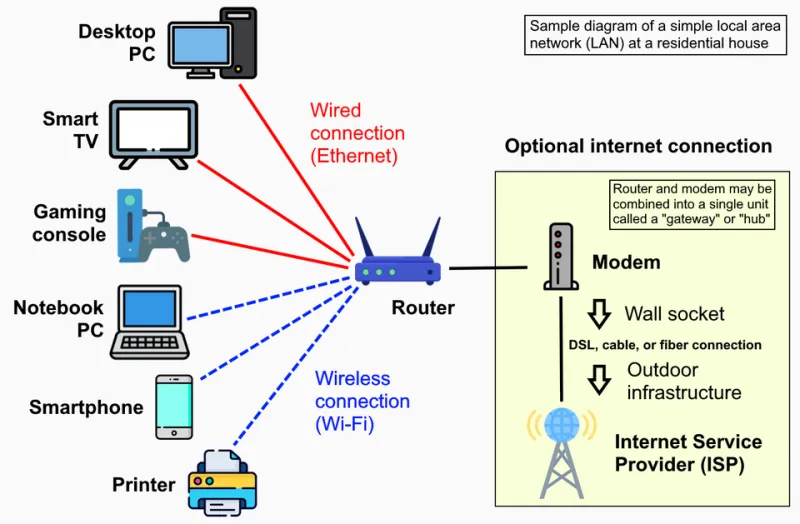
Photo: Own work, CC0, via Wikimedia Commons
The Dead Zone Every American House Has
Ask around and you'll hear the same story: the upstairs bedroom where the WiFi cuts out, the garage where the security camera keeps dropping, the basement den where streaming feels like dial-up. The default fix is buying another mesh pod and hoping for the best. Sometimes that works. Sometimes it makes things worse.
There are actually three main tools for killing dead zones — mesh, MoCA, and powerline — and the right choice depends heavily on how your house was built. Let's walk through each one honestly.
Option 1: Mesh (The Popular Kid)
Mesh systems are the consumer-friendly answer: plug in two or three pods, run a quick app setup, and your network becomes one seamless blanket.
The good: Genuinely easy setup, one network name, and modern systems handle roaming between nodes well. For most people, this is the right call.
The catch: Mesh nodes talk to each other over WiFi. Every hop cuts your speed roughly in half, and in houses with plaster walls, brick chimneys, or foil-backed insulation, that wireless backhaul can get shaky fast. If your pod placement is dictated by where your outlets are rather than where the signal needs to go, you'll feel it.
Best for: Single-family homes with open floor plans, renters who can't run cables, anyone who values simplicity over maximum speed.
Option 2: MoCA (The Insider's Secret)
MoCA — Multimedia over Coax Alliance — uses the coax cable already running through your walls to carry network traffic. If your house was wired for cable TV, you likely have a highway for data sitting dormant behind your drywall.
The good: This is the closest thing to Ethernet without drilling anything. Speeds are fast, latency is rock-solid, and it doesn't touch your WiFi airwaves. Gamers and remote workers, take note: MoCA delivers wired-grade consistency.
The catch: You need coax runs that actually connect to where you want coverage, plus a MoCA adapter at each end (expect $50–$80 per adapter). And in some homes, the coax wiring isn't set up for it — you may need a POE filter or a trip to the junction box.
Best for: Older homes with coax in every room, finished basements, anyone who needs wired-level reliability at a specific dead-zone location.
Option 3: Powerline (The Wildcard)
Powerline adapters push your network signal through your home's electrical wiring. Plug one adapter near your router, another near your dead zone, and the outlets become your backbone.
The good: No new wiring, no WiFi overhead, and adapters are cheap — often $40–$60 for a pair. Setup is as simple as plugging things in.
The catch: Performance is a lottery. Powerline speed depends on the age and condition of your electrical wiring, and circuits on different breaker panels can kill the connection entirely. Older homes with updated panels do fine; houses with wiring older than the Reagan administration, less so. Buy from a retailer with a good return policy.
Best for: Homes where mesh signal won't reach and coax isn't available. A great plan C.
So Which One Wins?
For a 1960s ranch with plaster walls: MoCA, hands down, if coax exists. For a 2000s-era build with drywall and open sight lines: mesh is simpler and plenty fast. For everything else: try mesh first, fall back to powerline, and save MoCA for when you really need wired reliability.
The dead zone isn't a life sentence. It's just a physics problem — and there's more than one way to solve it.