Not Every Smart Device Needs a Strong WiFi Signal — Here's How to Tell the Difference
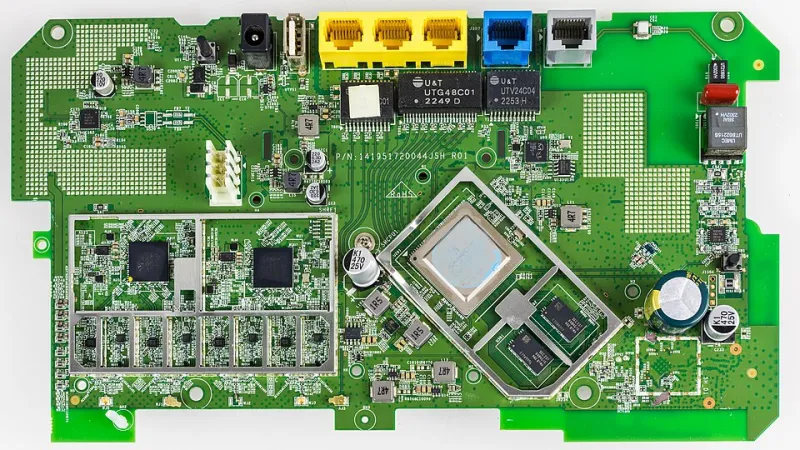
Photo: Raimond Spekking, CC BY-SA 4.0, via Wikimedia Commons
There's a certain kind of smart home anxiety that sets in once you start adding connected devices. You get a few smart bulbs, a video doorbell, a thermostat, maybe some plugs — and suddenly you're reading forum posts about mesh networks, VLAN segmentation, and dedicated IoT routers like it's a part-time job.
Here's an opinion worth considering: most people are massively over-engineering this.
Not every smart device in your home needs a powerful WiFi connection. In fact, treating them all the same way is one of the main reasons smart home setups feel complicated and unreliable. The key is understanding what each type of device actually needs — and building your network around reality, not marketing copy.
The Great Bandwidth Myth
Smart home marketing has a vested interest in making everything sound high-tech and demanding. But when you look at actual data usage, the picture is pretty different.
A smart plug that turns your lamp on at sunset? It's sending a few bytes of data a handful of times per day. A door sensor that pings when it opens? Same story. A smart thermostat checking in with the cloud every few minutes? Barely a blip. These devices don't need bandwidth — they need reliability. There's a difference.
On the other end of the spectrum, you've got devices that genuinely do require a solid, consistent connection: video doorbells, indoor security cameras, video baby monitors, and anything else that's streaming continuous video. A 1080p camera can use anywhere from 1 to 4 Mbps depending on quality settings. Run five of those simultaneously and you're starting to talk real numbers.
Everything else falls somewhere in the middle, and most of it leans closer to the "barely needs anything" end.
A Simple Way to Categorize Your Devices
Think of your smart home devices in three buckets:
Heavy hitters (need reliable bandwidth):
- Video doorbells and security cameras
- Video baby monitors
- Smart displays streaming video content
- Whole-home audio systems
These devices benefit from being on your primary network with a strong signal. If you have a mesh system, make sure they're connecting to a node that has solid backhaul.
Middle-of-the-road devices (need reliability, not speed):
- Smart TVs (when used for streaming)
- Smart speakers (Alexa, Google Home, etc.)
- Robot vacuums with camera mapping
- Smart locks
These are fine on your main network but don't need to be prioritized. They won't compete meaningfully with your laptop or phone.
Low-demand devices (basically anything goes):
- Smart plugs and switches
- Motion sensors, door/window sensors
- Smart bulbs
- Smart thermostats
- Leak detectors
- Most hub-based devices (Zigbee, Z-Wave)
This last category is where people get tripped up. These devices are often recommended to be put on a separate IoT network — and that's actually good advice — but not because they need better WiFi. It's because isolating them improves security and reduces clutter on your main network.
When a Guest Network Actually Makes Sense
Most modern routers let you spin up a guest network with a few taps in the app. A lot of people use these for visitors and forget about them — but they're genuinely useful for smart home management.
Putting your low-demand IoT devices on a guest network accomplishes a couple of things. First, it keeps those devices from being able to communicate with your computers and phones directly, which is a basic but meaningful security benefit. If a sketchy smart plug gets compromised, it can't easily reach your laptop on the same network.
Second, it keeps your main network less cluttered. Even if those devices don't use much bandwidth, they do take up connection slots and generate background traffic. Separating them out keeps things cleaner.
The catch: some smart home devices don't play nice with guest networks because guest networks often block device-to-device communication (called "AP isolation"). If you're using a hub-based system like SmartThings or Home Assistant, the hub itself needs to be on the same network as whatever's controlling it. Test before you commit.
Do You Actually Need a Separate Mesh Node for IoT?
Short answer: probably not.
Longer answer: a dedicated mesh node for smart home devices makes sense in specific situations — like if you have a large home where sensors in the garage or back yard are struggling to maintain a connection, or if you're running a home automation setup with dozens of devices and want to keep traffic truly separated.
For the average household with 10–20 smart devices? Your existing router or mesh system can handle it. Just use the guest network or create a separate SSID if your router supports it. You don't need to buy additional hardware.
Where people go wrong is hearing "you should segment your IoT devices" and interpreting that as "you need to build a completely separate network infrastructure." That's overkill for most homes.
The Zigbee and Z-Wave Shortcut
If you're planning a serious smart home buildout and want to avoid WiFi congestion entirely for most of your devices, consider a hub-based protocol like Zigbee or Z-Wave. Devices using these protocols don't connect to your WiFi at all — they connect to a dedicated hub (like an Aeotec SmartThings Hub or a Hubitat), which then connects to your network as a single device.
This approach means you can add 50 smart bulbs and sensors without adding 50 new WiFi clients. Your network sees one device (the hub), and everything else lives on its own mesh. It's a genuinely elegant solution for people who want to go deep on home automation without wrecking their WiFi.
The Takeaway
Smart home setups don't have to be complicated. The biggest favor you can do for yourself is to match your network setup to what your devices actually need — not what the most anxious corner of the internet says you need.
Cameras and streaming devices deserve a solid connection. Sensors and smart plugs just need to exist somewhere on your network. A guest network handles most security concerns. And a hub-based system can take a ton of devices off your WiFi entirely.
Start simple, add complexity only when you hit a real problem, and you'll spend a lot less time troubleshooting and a lot more time actually enjoying the smart home you built.