Budget Router Showdown: When $30 Beats $300 in a Gadget-Crowded House
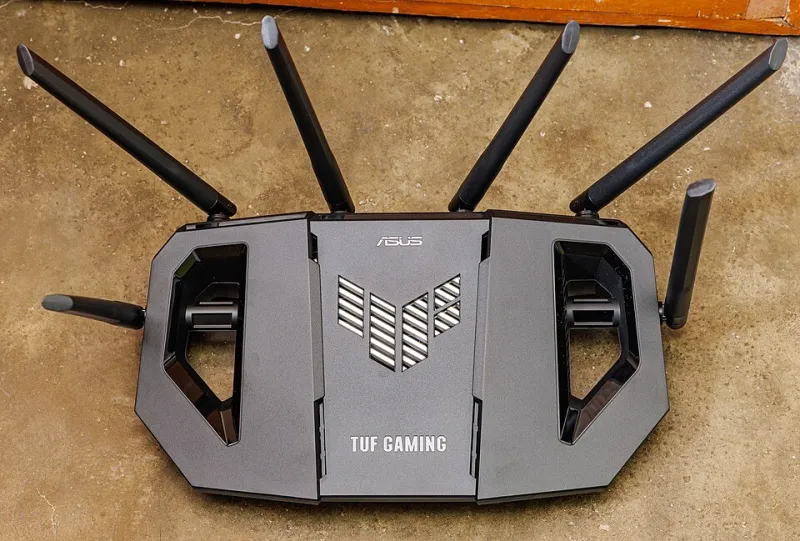
Photo: Dinkun Chen, CC BY-SA 4.0, via Wikimedia Commons
The Experiment Nobody Wants to Run
There's an unspoken rule in the tech world: your router is the one device where you should never cheap out. We've said versions of it ourselves. But after watching a $300 flagship router struggle in a 1970s split-level while a $30 budget unit handled the same house just fine in certain setups, we decided to run the test properly.
The lab: a real suburban home outside Columbus, Ohio. Two adults, one teenager, roughly 42 connected devices at any given moment — smart bulbs, a video doorbell, two streaming sticks, a robot vacuum, a Nest thermostat, the usual suspects. For 30 days, we rotated through three routers: a $300 premium Wi-Fi 6E model, a $90 mid-tier unit, and a $30 budget router that cost less than a family dinner at Chipotle.
What the Cheap Router Actually Did
Here's the uncomfortable truth: for most of the house, the $30 router was... fine. Streaming in the living room? Identical. Smart bulb response times? Within milliseconds of the premium unit. Video calls? No complaints.
The gap showed up exactly where you'd expect. The finished basement — two walls and 40 feet away — dropped to a crawl on the budget unit. Simultaneous 4K streams plus a game download caused noticeable buffering that the premium router shrugged off. And the budget box needed a reboot about twice a week, something the expensive one never required.
But that led us to the real insight: most homes don't have a router problem. They have a coverage problem. And coverage problems aren't solved by premium internals — they're solved by placement, mesh nodes, or wired backhaul.
The Cost-Benefit Math
Let's break down what your money actually buys:
- $30 router: Adequate speeds for homes under 1,200 sq ft with fewer than 15 smart devices. Budget for occasional reboots.
- $90 mid-tier: The sweet spot for most American households. Solid throughput, better antenna design, app-based management that won't make you crazy.
- $300 premium: Worth it only if you have gigabit internet, a large floor plan paired with proper mesh, or a household that genuinely stresses the network — think remote workers, gamers, and 4K streams all at once.
A $300 router in a small apartment with 200 Mbps internet is like buying a Ferrari to drive to the Kroger parking lot. You're paying for capability you'll never touch.
Recommendations by Home Size
Apartments and small homes (under 1,200 sq ft): A $40–$60 budget router does the job. Put it high, central, and away from the TV. Done.
Medium homes (1,200–2,500 sq ft): Spend $80–$120 on a solid mid-tier unit. If you have dead zones, add one mesh node rather than upgrading the main router.
Large homes (2,500+ sq ft): Now premium gear starts earning its keep — but pair it with a mesh system. A single expensive router can't cover 3,000 square feet no matter what the box says.
The smart-home caveat: If you run more than 30 connected devices, mid-tier or better matters. Budget routers often choke on the sheer number of connections, even if the bandwidth is light. That's the one place where cheap genuinely costs you.
The Verdict
The $30 router didn't replace our $300 router — but it exposed something more useful: most people are solving the wrong problem with their wallet. Before you drop serious money on a flagship, figure out whether your issue is speed, coverage, or device count. The answer changes what you should buy, and it's usually cheaper than you think.