The More Smart Devices You Add, the Slower Your WiFi Gets — Here's Why
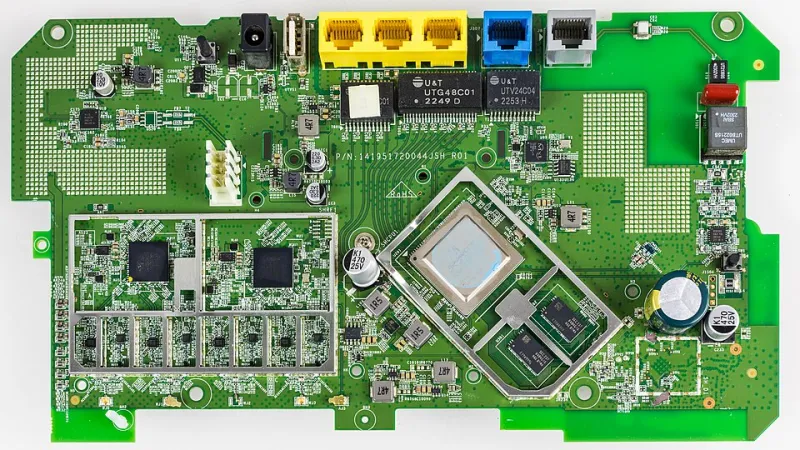
Photo: Raimond Spekking, CC BY-SA 4.0, via Wikimedia Commons
You just scored a killer deal on a four-pack of smart plugs. Maybe you finally caved and bought that video doorbell you've been eyeing since the Super Bowl. You plug everything in, pair it up, and feel genuinely proud of your growing smart home setup. Then, a week later, your spouse is complaining that Netflix keeps buffering, and your Ring app is slow to load the live feed.
Sound familiar? You're not imagining it, and your router isn't broken. What you're experiencing is one of the most common — and least talked about — headaches in modern home networking: device congestion.
Your Router Has More to Juggle Than You Think
Most people think of WiFi bandwidth like a water pipe. More bandwidth equals a bigger pipe, and as long as the pipe is big enough, everything flows fine. But that's not quite how it works when you start stacking up smart home devices.
Every device that connects to your network — whether it's pulling a live video stream or just periodically pinging a server to check for firmware updates — takes up a slice of your router's processing power. This is called channel utilization, and it's separate from raw bandwidth. Even a device that barely uses any data, like a smart sensor that sends a tiny packet every 30 seconds, still requires your router to acknowledge that connection, manage the handshake, and keep the session alive.
Multiply that across 20, 30, or 40 devices (which is increasingly common in US households), and your router starts spending more time managing connections than actually moving data. That's when things get sluggish.
The 2.4 GHz Pile-Up
Here's where it gets especially messy. The majority of budget and mid-range smart home devices — think smart bulbs, plugs, sensors, older thermostats — operate exclusively on the 2.4 GHz band. It's slower than 5 GHz, but it has longer range and lower power requirements, which makes it attractive for manufacturers building cheap IoT hardware.
The problem? That band only has three non-overlapping channels (1, 6, and 11) in the US. When dozens of devices are all crammed onto those same channels, they start stepping on each other's transmissions. Your router has to repeatedly retry packets, which burns time and increases latency across the board.
Your laptop and phone — which probably connect on 5 GHz — might seem fine at first. But your router is still getting bogged down managing all that 2.4 GHz chaos in the background, and that overhead affects overall performance.
Bandwidth Saturation vs. Connection Saturation — Know the Difference
These two problems get lumped together a lot, but they're actually distinct, and fixing one won't necessarily fix the other.
Bandwidth saturation is what happens when the total data being consumed by all your devices exceeds what your internet plan can deliver. If you've got two people working from home on video calls, a kid streaming 4K cartoons, and a security camera system uploading footage to the cloud, you might simply be running out of pipe. The fix here is usually upgrading your internet tier or managing which devices are allowed to use heavy bandwidth during peak hours.
Connection saturation is trickier. This happens when your router hits its maximum number of simultaneous client connections or runs out of processing headroom — even if your total data usage is well within your plan's limits. Consumer-grade routers often cap out around 30–50 stable simultaneous connections. A mesh system or business-grade router can push that number significantly higher, but it comes at a cost.
If your WiFi gets sluggish even when nobody's actively streaming or downloading, connection saturation is likely the culprit.
The Hidden Culprit: Background Chatter
Smart home devices are chatty. Even when you're not actively using them, they're constantly doing things: checking in with cloud servers, syncing schedules, broadcasting their presence on the local network, and sometimes scanning for firmware updates. This background traffic is often called keep-alive traffic, and individually, it's harmless. Collectively, it's a constant low-level buzz that your router has to manage 24/7.
Some platforms are worse than others. Certain budget smart home ecosystems poll their cloud servers every few seconds per device. If you've got 15 of those devices, that's a non-stop stream of tiny network requests that never lets your router settle.
What You Can Actually Do About It
The good news is there are real, practical steps you can take to clean this up without gutting your smart home setup.
Segment your network with a dedicated IoT VLAN or guest network. Most modern routers and mesh systems let you create a separate network specifically for smart home devices. This keeps your IoT traffic from interfering with your primary devices and adds a security layer as a bonus. If your router's app supports it, look for a "smart home" or "IoT" network option.
Upgrade to a mesh system if you haven't already. A single router, even a powerful one, has physical limitations. A mesh system distributes the connection management load across multiple nodes, which dramatically improves both range and the number of devices that can connect reliably.
Audit your device list periodically. Log into your router's admin panel and look at the connected device list. You'll probably find a few devices that connected once and never left — old phones, gadgets you returned, guest devices that stuck around. Clearing these out frees up connection slots.
Be strategic about 2.4 GHz vs. 5 GHz placement. Reserve 5 GHz for your high-bandwidth devices — laptops, streaming sticks, gaming consoles. Push smart home devices to 2.4 GHz intentionally, and if your router supports band steering, consider disabling it for IoT devices so they don't accidentally hop to 5 GHz and waste a slot there.
Look at WiFi 6 or WiFi 6E routers if you're running a large setup. WiFi 6 introduced a feature called OFDMA (Orthogonal Frequency Division Multiple Access) that lets a router communicate with multiple devices simultaneously rather than one at a time. For dense smart home environments, this is a genuine game-changer. It's not just marketing — it directly addresses the connection saturation problem.
Scaling Smart Without Slowing Down
The goal isn't to stop adding devices — it's to build a network infrastructure that can actually handle the load you're putting on it. Most people invest heavily in smart home gadgets but treat their router as an afterthought. That's backwards.
Think of your router and network setup as the foundation of your smart home. If that foundation is shaky, every device you add makes the wobble worse. Get the infrastructure right first, and you'll find that adding a new smart device becomes genuinely seamless — which is kind of the whole point.