Zombie Devices on Your Network: How Dead Tech Is Still Eating Your WiFi Alive
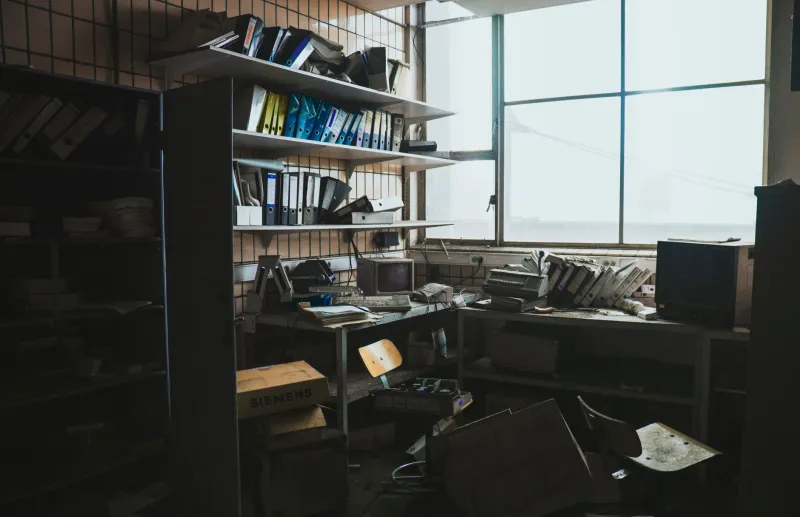
Somewhere in your home, there's a smart device you completely forgot about. Maybe it's a first-gen smart plug stuffed behind the couch. Maybe it's a fitness band that lost its charging cable sometime around 2020. Or maybe it's a connected baby monitor you swore you'd donate but never did.
Here's the uncomfortable truth: forgetting about a device doesn't mean your router forgot about it. These so-called zombie devices — gadgets that are functionally dead to you but technically still alive on your network — can quietly drain bandwidth, create security holes, and slow down the devices you actually care about. And most people have no idea how many of them are lurking.
What Makes a Device a "Zombie" in the First Place?
A zombie device isn't necessarily broken. It's just... abandoned. There are a few common ways this happens:
You stopped using it. That smart scale you bought during a New Year's resolution phase? Still connected. Still checking in with its servers every few hours. Still using your WiFi like it owns the place.
The manufacturer pulled the plug. This one's sneaky. When a company discontinues a product or shuts down its cloud service, the hardware often keeps running in a kind of limbo. It can no longer do what it was designed to do — but it still reaches out to dead servers, sometimes repeatedly, generating what's called "chatty" traffic on your network.
You upgraded but didn't remove the old one. Got a new smart thermostat? Congrats. But if you didn't formally remove the old one from your router, it may still be sitting there on your device list, occasionally waking up and asking for attention.
It's hiding in plain sight. Old smart TVs, forgotten tablets left in guest rooms, a kid's tablet from three years ago — these are all devices that stay connected indefinitely unless you manually kick them off.
Why This Actually Matters for Your Home Network
You might be thinking: how much damage can one dusty fitness tracker really do? The honest answer is — probably not catastrophic on its own. But multiply that by five, ten, or fifteen forgotten devices (which is more common than you'd think in households that have been buying smart home gear for a few years), and you've got a real problem.
Bandwidth creep. Every connected device takes up a slice of your router's attention. Routers have connection limits, and even when devices aren't actively streaming, they're still maintaining connections, sending status pings, and occasionally pulling updates. That overhead adds up.
Security vulnerabilities. This is the big one. Abandoned devices almost never get firmware updates. A smart plug from 2018 running outdated software is essentially an unlocked window into your home network. Hackers don't need your most sophisticated device — they just need the weakest one. And zombie devices are often the weakest link by a wide margin.
Network congestion during peak hours. If you've ever noticed your WiFi getting sluggish around 6 or 7 PM, some of that slowdown could be old devices waking up to sync or check in. It's not always your streaming habits — sometimes it's the ghost of a smart home past.
How to Find the Devices You Forgot You Had
Start with your router's admin panel. Every router has one, and most modern routers — especially mesh systems like Eero, Google Nest WiFi, or Orbi — have companion apps that show you a full list of connected devices. Pull that list up and actually read it.
You'll likely see a mix of things you recognize and things that just say something like "Unknown Device" or show a random string of letters and numbers (that's a MAC address — basically a device's fingerprint). Don't skip those unknowns. That's usually where the zombies are hiding.
If your router app isn't giving you enough detail, try a free network scanner app like Fing. Available on iOS and Android, Fing does a sweep of your network and identifies every connected device, often pulling in the manufacturer name, which makes it a lot easier to figure out what you're looking at.
Once you've got your list, go through it device by device and ask yourself:
- Do I still use this?
- Is this device still supported by its manufacturer?
- Do I even know where this device physically is right now?
If the answer to any of those is no, it's probably a zombie.
Getting Rid of Them (Without Breaking What Still Works)
Removing a zombie device from your network is usually pretty straightforward, but it helps to do it the right way.
Remove it from your router first. In your router's device list, you can typically block or forget a specific device. This kicks it off your network immediately.
Delete it from any associated apps. If the device had a companion app — a smart home platform like SmartThings, Google Home, or Amazon Alexa — remove it from there too. Leaving orphaned device entries in those apps can cause errors and unnecessary background polling.
Factory reset the hardware if you're donating or recycling it. This is especially important for devices that were connected to your accounts. A factory reset wipes your credentials and makes sure the next owner isn't inheriting access to your old smart home setup.
Be careful with devices that are still in use. Some devices on your network might look unfamiliar but are actually doing something important — like a smart hub that controls other devices, or a network-attached storage drive. If you're not sure, don't block it right away. Google the MAC address or manufacturer name first.
The Harder Problem: Manufacturers Who Make This Difficult
Here's where things get a little frustrating. Some manufacturers actively make it hard to remove or decommission their devices. Apps that don't have a clear "remove device" option, hardware that re-connects automatically after being blocked, cloud accounts that keep the device registered even after you've deleted the app — it's a mess.
The smart home industry has gotten better about this in recent years, especially as Matter (the new cross-platform smart home standard) gains traction. But plenty of older devices predate these improvements and operate in their own closed ecosystems.
If you're stuck with a device that won't cooperate, the nuclear option is to change your WiFi password. Every device on your network will get disconnected, and only the ones you manually reconnect will come back. It's a hassle, but it's one of the cleanest ways to start fresh.
Make This a Regular Habit
A network audit shouldn't be a one-time thing. Smart home technology moves fast, and the graveyard grows quietly over time. Setting a reminder to review your connected devices once or twice a year — maybe when you're doing your spring cleaning or before the holidays when you're about to add new devices — keeps things manageable.
Think of it like clearing out your junk drawer. Nobody wants to do it, but once it's done, everything works better. Your router will thank you. Your streaming will be smoother. And your network will be a lot less interesting to anyone trying to break into it.
The devices you actually use deserve a clean, fast, secure network. Don't let the ones you forgot about get in the way.